


Hey there! As a supplier of gold testers, I've seen firsthand how important it is to keep these machines in top - notch condition. A well - maintained gold tester not only ensures accurate results but also extends the lifespan of the equipment, saving you money in the long run. In this blog, I'm gonna share some tips on how to maintain a gold tester.
Regular Cleaning
One of the most basic yet crucial steps in maintaining a gold tester is regular cleaning. Over time, dust, dirt, and small particles can accumulate on the surface of the tester, especially around the testing area. This can interfere with the machine's ability to accurately detect the composition of gold.
For the exterior of the tester, use a soft, dry cloth to wipe away any visible dust. If there are stubborn stains, you can slightly dampen the cloth with a mild cleaning solution. But make sure the cloth isn't too wet, as moisture can damage the internal components of the machine.
When it comes to the testing chamber, be extra careful. Use a specialized cleaning tool provided by the manufacturer or a soft brush to gently remove any debris. For example, in N1 XRF Gold Tester, the testing chamber needs to be kept clean to ensure the X - ray sensors work properly.
Calibration
Calibration is another key aspect of gold tester maintenance. A calibrated gold tester gives you accurate readings, which is essential for both buyers and sellers of gold. You should calibrate your gold tester regularly, following the manufacturer's instructions.
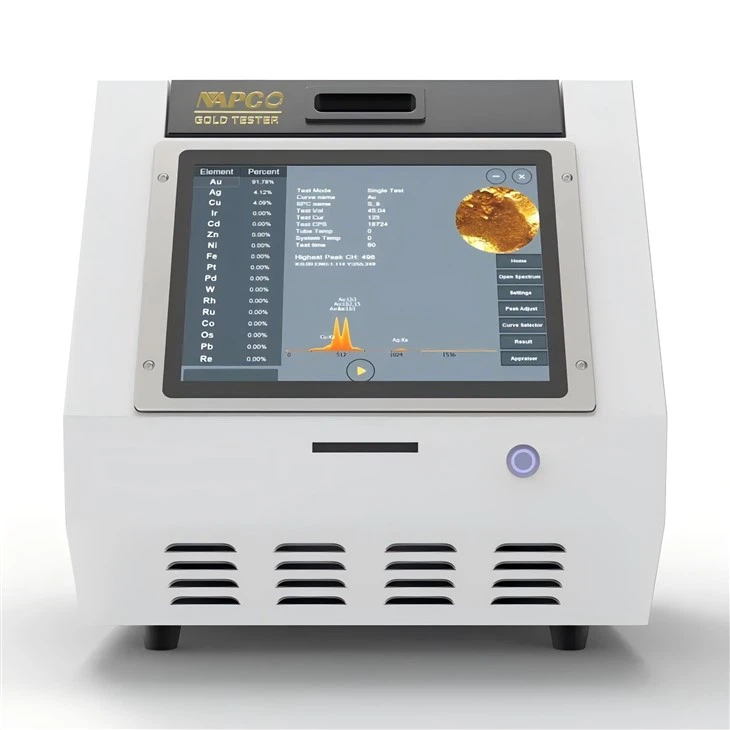
Most gold testers come with a calibration kit. This kit usually contains samples of known gold purity. By testing these samples with your gold tester, you can check if the machine is providing accurate results. If the readings are off, you'll need to adjust the settings of the tester according to the calibration guide.
For instance, the NAP 8200E XRF Gold Tester has a relatively straightforward calibration process. You just need to place the calibration samples in the testing area and follow the on - screen prompts. However, if you're not confident in doing it yourself, it's advisable to contact the manufacturer's technical support team.
Software Updates
In today's digital age, software plays a vital role in the functionality of gold testers. Manufacturers often release software updates to improve the performance, add new features, or fix bugs in the gold tester.
Keep an eye on the manufacturer's website or subscribe to their newsletters to get notified about the latest software updates. Installing these updates is usually a simple process. You may need to connect your gold tester to a computer via a USB cable and follow the instructions provided by the software update tool.
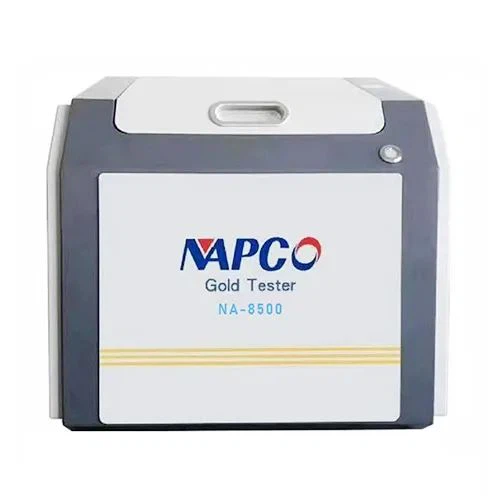
The NA 8500 XRF Gold Tester benefits greatly from software updates. Newer versions of the software can enhance the accuracy of the gold purity detection and make the user interface more user - friendly.
Environmental Considerations
The environment in which you place your gold tester can also affect its performance and lifespan. Gold testers are sensitive machines, and extreme temperatures, humidity, and vibrations can cause damage.
Keep your gold tester in a stable environment with a moderate temperature and humidity level. Avoid placing it near sources of heat, such as radiators or direct sunlight, as high temperatures can damage the internal components. Similarly, high humidity can lead to corrosion of the metal parts and electrical short - circuits.
If your workplace has a lot of vibrations, for example, from heavy machinery, consider using vibration - isolation pads under the gold tester. This can help reduce the impact of vibrations on the machine and prevent any internal damage.
Handling and Storage
Proper handling and storage of your gold tester are essential for its maintenance. When moving the gold tester, always use two hands and be gentle. Avoid dropping or bumping the machine, as this can cause internal damage to the sensitive components.
If you need to store the gold tester for an extended period, make sure to follow the manufacturer's storage instructions. Usually, it's recommended to store the tester in a protective case or cover it with a dust - proof cloth. Also, remove any batteries or power sources to prevent corrosion.
Preventive Maintenance Checks
Performing regular preventive maintenance checks can help you catch any potential problems before they become major issues. Check the power cords and cables for any signs of wear or damage. If you notice any frayed wires or loose connections, replace the cords immediately to avoid electrical hazards.
Inspect the display screen for any cracks or malfunctions. A clear and functional display is important for reading the test results accurately. Also, check the buttons and controls to make sure they're working properly.
Staff Training
If you have multiple employees using the gold tester, it's crucial to provide them with proper training. Make sure they understand how to use the machine correctly, including how to perform basic maintenance tasks.
Training can also help prevent misuse of the gold tester, which can lead to unnecessary damage. Provide your staff with a user manual and conduct regular refresher courses to keep them updated on the best practices for using and maintaining the gold tester.
In conclusion, maintaining a gold tester is not a difficult task if you follow these simple steps. By keeping your gold tester clean, calibrated, and updated, and by providing it with a suitable environment, you can ensure that it performs accurately and lasts for a long time.
If you're in the market for a new gold tester or need more information on maintenance, feel free to reach out. We're here to help you make the best choice for your business. Whether you're interested in the N1 XRF Gold Tester, NAP 8200E XRF Gold Tester, or NA 8500 XRF Gold Tester, we've got you covered. Contact us to start the procurement discussion!
References
- Manufacturer's user manuals for N1 XRF Gold Tester, NAP 8200E XRF Gold Tester, and NA 8500 XRF Gold Tester.
- Industry best practices for gold tester maintenance.