


Hey there, folks! As a supplier of gold analyzer machines, I've seen firsthand how these high - tech devices can transform the way you handle precious metals testing. But let's be real, like any piece of equipment, gold analyzer machines can run into some glitches from time to time. Here, I'll walk you through troubleshooting common problems with your gold analyzer and how to fix them.
Power - Up Woes
One of the most basic issues you might face is a failure to power up your gold analyzer. First off, check if the power cord is securely plugged into both the machine and the electrical outlet. Sometimes, a loose connection can seem like a bigger problem. If it's plugged in tight and still no go, try another outlet to rule out a faulty socket. And don't forget to check the power switch on the analyzer itself; it's easy to overlook.
If you're using a battery - powered model, make sure the battery is charged. Low battery can often cause power - up failures. In some cases, the battery might be old and need replacement. If you've done all this and your N1 XRF Gold Tester still won't turn on, it could be an internal power supply issue. That's when you should reach out to us for further diagnosis.
Display Glitches
Another common headache is display problems. If the screen is blank, it could be a matter of a loose cable connection. Open up the access panel carefully and check all the cables leading to the display. Make sure they're snug and undamaged.

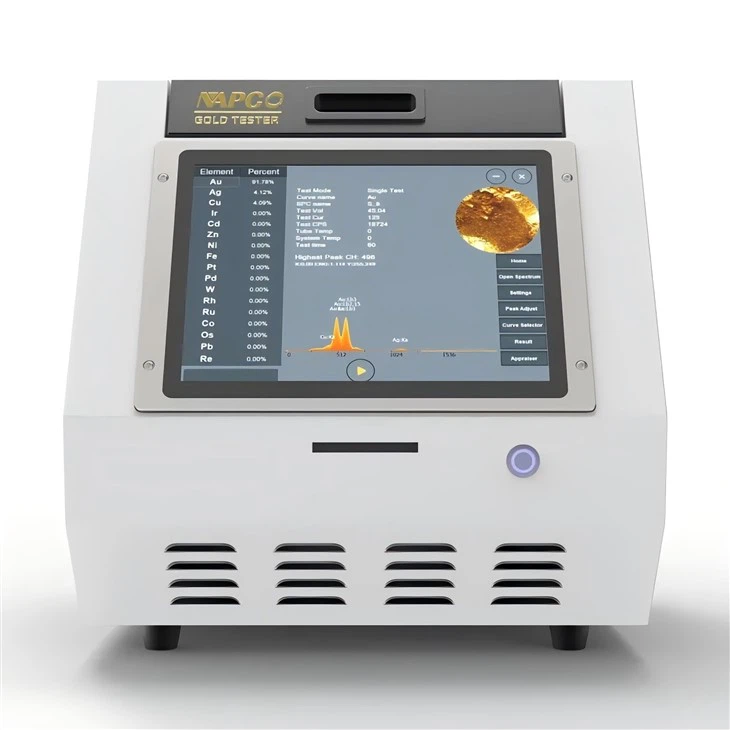
If there are strange symbols or the display is flickering, it might be a software glitch. Try restarting the machine. Sometimes, a simple reboot can clear up minor software hiccups. If the problem persists, it could be a hardware fault with the display unit. In this case, our tech team can help you figure out whether it needs repair or replacement.
Sample Loading and Ejection Issues
When it comes to loading samples, if your gold analyzer is having trouble taking in the sample, check for any blockages in the sample port. There might be debris or a small piece of the previous sample stuck inside. Use compressed air to gently blow out any foreign objects.
If the sample won't eject, don't force it. Forcing can cause more damage. Instead, look at the user manual for the proper ejection procedure. If you can't get it out following the instructions, it's time to give us a nudge. We'll work together to get your sample handling back on track.
Analysis Inconsistencies
One of the most frustrating problems is inconsistent analysis results. First, ensure that the samples are prepared correctly. Incorrect sample preparation can lead to inaccurate readings. The sample should be clean, flat, and of an appropriate size as specified in the user guide.
Calibration is another key factor. Over time, your gold analyzer may need recalibration. Follow the calibration steps in the manual to perform a basic calibration. If after calibration, the results are still all over the place, it could be a problem with the internal sensors. Our experts can assist you in in - depth calibration and sensor evaluation.
Unusual Noises or Vibrations
If your NA 6500 XRF Gold Tester starts making strange noises or excessive vibrations, it's a red flag. Unusual sounds can indicate mechanical problems, like a loose part inside or a failing motor. Vibrations could mean the machine isn't properly leveled. Check if the analyzer is sitting flat on a stable surface.
If adjusting the position doesn't stop the vibrations and noises, it's likely an internal issue. Don't try to open up the machine yourself; let our technicians handle it.
Communication for Negotiation
If you're facing any of these problems with your gold analyzer or just want to learn more about our products, feel free to reach out for a detailed discussion. We're always eager to work with you to solve your problems and find the best solution for your needs.
References
- Gold Analyzer User Manuals
- Industry - standard Gold Testing Guidelines