


Hey there! As a supplier of gold analyzer machines, I often get asked if these machines can be connected to a computer. Well, the short answer is yes! Most modern gold analyzer machines, including the ones we offer, are designed to be easily connected to a computer. Let's dive into the details.
Why Connect a Gold Analyzer Machine to a Computer?
First off, let's talk about why you'd want to connect your gold analyzer to a computer. There are several benefits to this setup. For starters, it allows for more efficient data management. When you connect the machine to a computer, you can easily store, organize, and analyze the test results. Instead of having to write down the data by hand or deal with a limited internal memory on the machine itself, you can save all the information on your computer's hard drive or in the cloud. This makes it much easier to keep track of multiple tests over time and to generate reports.
Another advantage is the ability to use specialized software. Many gold analyzer machines come with software that can be installed on a computer. This software can enhance the functionality of the machine. For example, it might offer more advanced data analysis tools, such as the ability to compare results from different samples or to create graphs and charts to visualize the data. It can also provide more user - friendly interfaces, making it easier for operators to use the machine and interpret the results.

How to Connect a Gold Analyzer Machine to a Computer
Now, let's get into the nitty - gritty of how to connect these machines to a computer. Most gold analyzer machines use standard connection methods. One of the most common ways is through a USB connection. Just like you would connect a printer or a flash drive to your computer, you can use a USB cable to link the gold analyzer to your PC or Mac. Once you've made the physical connection, you'll usually need to install the appropriate drivers. These drivers are like little instructions that tell your computer how to communicate with the gold analyzer. The drivers are typically provided by the manufacturer and can be downloaded from their website.
Some machines also support wireless connections, such as Wi - Fi or Bluetooth. Wireless connections offer more flexibility, as you don't have to worry about cables getting in the way. With a Wi - Fi connection, the gold analyzer can connect to your home or office network, and you can access it from any device on that network. Bluetooth is also a convenient option, especially if you want to connect the machine to a mobile device like a tablet or a smartphone.
Our Gold Analyzer Machines and Computer Connectivity
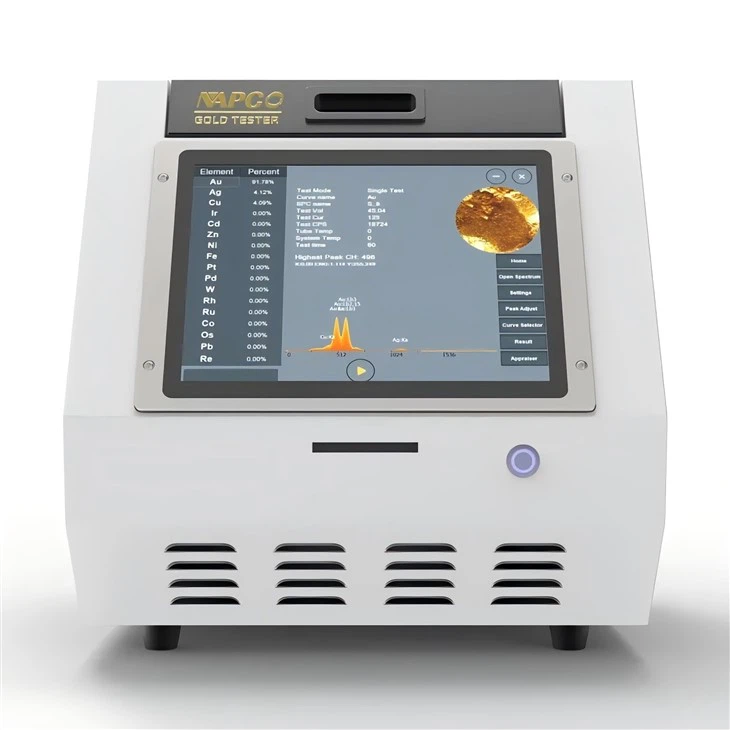
At our company, we offer a range of gold analyzer machines that are designed with computer connectivity in mind. Take the N1 - 25 XRF Gold Tester for example. This machine is equipped with a USB port, which makes it easy to connect to a computer. Once connected, you can use the included software to manage and analyze the test results. The software is intuitive and user - friendly, even for those who aren't tech - savvy.
The NAP 8200E XRF Gold Tester is another great option. It supports both USB and Wi - Fi connections. This means you can choose the connection method that works best for your setup. If you're in a more stationary environment, a USB connection might be sufficient. But if you need to move the machine around or access the data from multiple devices, the Wi - Fi option gives you that flexibility.
We also have the N1 - 10 XRF Gold Tester. This machine is known for its reliability and ease of use. It can be connected to a computer via USB, and the accompanying software provides all the tools you need to get the most out of your testing.
Troubleshooting Connection Issues
Of course, sometimes things don't go as smoothly as we'd like. If you're having trouble connecting your gold analyzer machine to a computer, there are a few things you can try. First, make sure the physical connection is secure. Check that the USB cable is properly plugged in or that the wireless settings on both the machine and the computer are correct.
If you're having driver issues, try uninstalling and reinstalling the drivers. Sometimes, the drivers can get corrupted, and a fresh installation can fix the problem. You can also check for updates to the drivers on the manufacturer's website. Outdated drivers can sometimes cause connectivity problems.
If you're still having issues after trying these steps, don't hesitate to reach out to our support team. We're here to help you get your machine up and running and connected to your computer.
Conclusion
So, to sum it up, yes, a gold analyzer machine can definitely be connected to a computer, and there are many good reasons to do so. Whether you're looking for better data management, more advanced analysis tools, or just a more user - friendly experience, connecting your gold analyzer to a computer is a great idea.
If you're in the market for a high - quality gold analyzer machine that offers easy computer connectivity, we've got you covered. Our machines are designed to meet the needs of both small - scale jewelers and large - scale precious metals testing facilities. Don't hesitate to get in touch if you have any questions or if you're interested in purchasing one of our machines. We're always happy to have a chat and discuss your specific requirements.
References
- Manufacturer's manuals for N1 - 25 XRF Gold Tester, NAP 8200E XRF Gold Tester, and N1 - 10 XRF Gold Tester.
- Industry reports on the use of gold analyzer machines and computer connectivity.